Cool Fonts – Cool Font Generator, Copy and Paste Stylish Text
Cool Fonts make ordinary text more interesting by turning simple words into stylish, decorative, and creative text that you can copy and paste. Instead of changing a font file on your device, a cool font generator creates different text variations that can be used wherever the receiving app supports those characters.
Our cool font generator is designed to make this process simple. Enter your text once and explore different styles from one place. You can search through styles, browse categories, save favorites, check recent choices, decorate your text with symbols, and copy the result when you find something you like. Whether you need a stylish name, social bio, gaming nickname, caption, message, or decorative text, you can experiment with different looks without installing a traditional font.
What Are Cool Fonts?
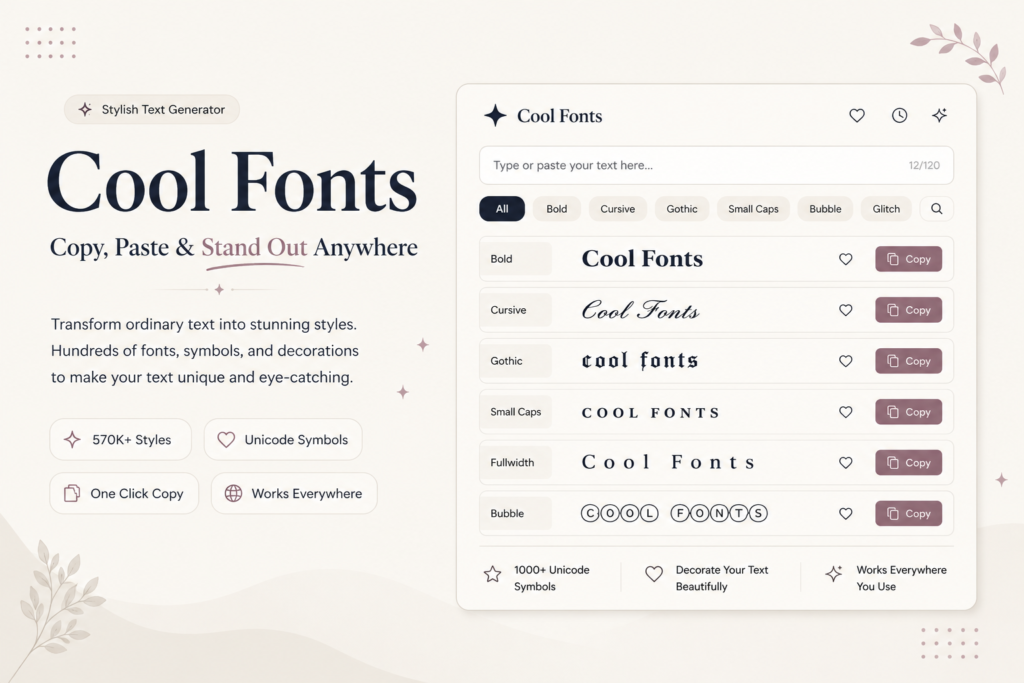
Cool fonts usually means stylish text made with special characters and Unicode symbols rather than a traditional TTF or OTF font file. A normal font changes how characters are rendered, while copy-and-paste cool text uses different Unicode representations that can be copied into compatible text fields.
That makes the idea simple: enter ordinary words, explore several visual forms, choose a result, and copy it. For example, “Cool Fonts” can become 𝐂𝐨𝐨𝐥 𝐅𝐨𝐧𝐭𝐬, 𝘊𝘰𝘰𝘭 𝘍𝘰𝘯𝘵𝘴, 𝕮𝖔𝖔𝖑 𝕱𝖔𝖓𝖙𝖘, or ᴄᴏᴏʟ ғᴏɴᴛs.
Generate Fast
Enter your text once and explore multiple stylish variations without rebuilding each version manually.
Find a Style
Search the collection, browse categories, or use Favorites and Recent to get back to styles you like.
Decorate More
Add symbols, marks, joiners and frames when a simple letter transformation is not enough.
How to Use Cool Font Text
Creating cool font text is designed to take only a few steps. Start with your words and let the generator handle the variations.
Enter your text
Type a name, caption, bio, message or any short text into the generator.
Explore styles
Browse the generated versions or search for a look such as bold, mirror, hearts or frame.
Personalize it
Try symbols, marks, joiners, frames, preview options or shuffle when you want another direction.
Copy & paste
Copy your favorite result and paste it into a compatible profile, message, caption or username field.
Different Text Styles
The generator covers more than one visual category, so you can move from simple emphasis to highly decorative text.
Bold & Italic
Bold styles add strength, italic styles create a slanted look, and Bold Italic combines both.
Script & Cursive
Flowing letterforms can give names, profiles and short captions a more handwritten appearance.
Small Caps
Compact capital-like characters work well for usernames, short headings and profile descriptions.
Monospace
Uniform characters create a structured, technical-looking result while keeping decoration relatively simple.
Gothic & Blackletter
A darker decorative style that can work especially well for gaming names and themed profiles.
Circled & Fullwidth
Turn the text itself into part of the design with circular forms or a wider fullwidth appearance.
Superscript & Subscript
Move characters above or below the normal text line for compact creative effects.
Marks, Joiners & Frames
Add underlines, overlines, separators, decorative patterns and frames for a more designed result.
Decorate Text With Symbols
Sometimes changing the letters is only the first step. The generator can also add hearts, stars, sparkles, fire, flowers, music notes, crowns and arrows around your text.
♥ Hearts
★ Stars
✨ Sparkles
🔥 Fire
❀ Flowers
♫ Music
♛ Crowns
→ Arrows
✧ Frames
〰 Joiners
Tip: You can place symbols around the ends of your text, between letters, or around both sides. For short cool font names and bios, a small amount of decoration can often look cleaner than decorating every character.
Cool Fonts for Names, Social Media & Gaming
Stylish text can be useful anywhere the receiving application accepts the copied characters. Common uses include Instagram bios and captions, TikTok profiles and posts, Facebook text, WhatsApp messages and status text, Discord profiles and messages, X posts, gaming usernames, personal messages and short profile descriptions.

Create stylish Instagram bios, captions and profile names with unique text styles. Copy your favorite font and paste it directly into your Instagram profile, posts or comments.

TikTok
Make your TikTok profile, captions and display name stand out with cool fonts and creative text styles. Generate, copy and use your favorite style anywhere on TikTok.

Use stylish fonts for Facebook posts, profile names, comments and short descriptions. Turn ordinary text into something more eye-catching and personal.

Create fancy text for WhatsApp Text, status updates and profile information. Copy stylish characters and use them directly in your chats and status.

Discord
Give your Discord profile, server messages and usernames a different look with cool text styles, symbols and decorative characters.

X / Twitter
Create stylish text for your posts, profile bio and display name. Use unique Unicode fonts to give your X profile a more distinctive appearance.

Gaming
Create cool gaming names, usernames and clan-style text with bold, gothic, decorative and unique Unicode characters.

Usernames
Find unique text styles for usernames across social media, gaming platforms and online profiles. Copy a style and make your username more memorable.
Cool Font Names & Usernames
A short name is a good place to experiment. Try bold, small caps, gothic, circled, script or framed styles, then keep the amount of decoration that still lets people recognize the name easily. For gaming usernames, support can vary by game, so test the copied result before changing an important username.
Cool Fonts for Instagram Bios
An Instagram bio has limited space, so a bold name, short script phrase, small caps description, simple symbol line or light frame can create a different visual identity without filling every character with decoration.
Tips for Choosing the Right Cool Font
There is no single style that works for every situation. Choose based on what the text needs to communicate.
- For readability: choose bold, italic, monospace or small-cap styles.
- For an elegant look: try script or cursive-style text.
- For gaming: experiment with gothic, glitch, reversed, boxed or leetspeak styles.
- For cute text: add hearts, flowers, stars or sparkles.
- For a stronger visual effect: combine a text style with a mark, joiner or frame.
- For short names: more decoration can work because there are fewer characters to read.
Compatibility note: Cool font generators generally use Unicode characters and combinations rather than installing a new font. Some apps or devices may not support every character in exactly the same way, and unsupported characters can sometimes appear as boxes or fallback symbols.
Frequently Asked Questions
Final Thoughts
Cool Fonts are a simple way to experiment with ordinary words and give them a different visual identity. Instead of searching for one style at a time, a generator lets you enter your text once and explore multiple possibilities. With searchable styles, favorites, recent results, decorative symbols, marks, joiners, frames, previews, and different text transformations, you can create everything from a simple bold name to a heavily decorated text design. Start with your text, try a few different styles, and choose the version that remains readable while matching the purpose of your content. Then copy it and use it wherever the characters are supported.