Cool Fonts for TikTok – Copy and Paste Stylish Text
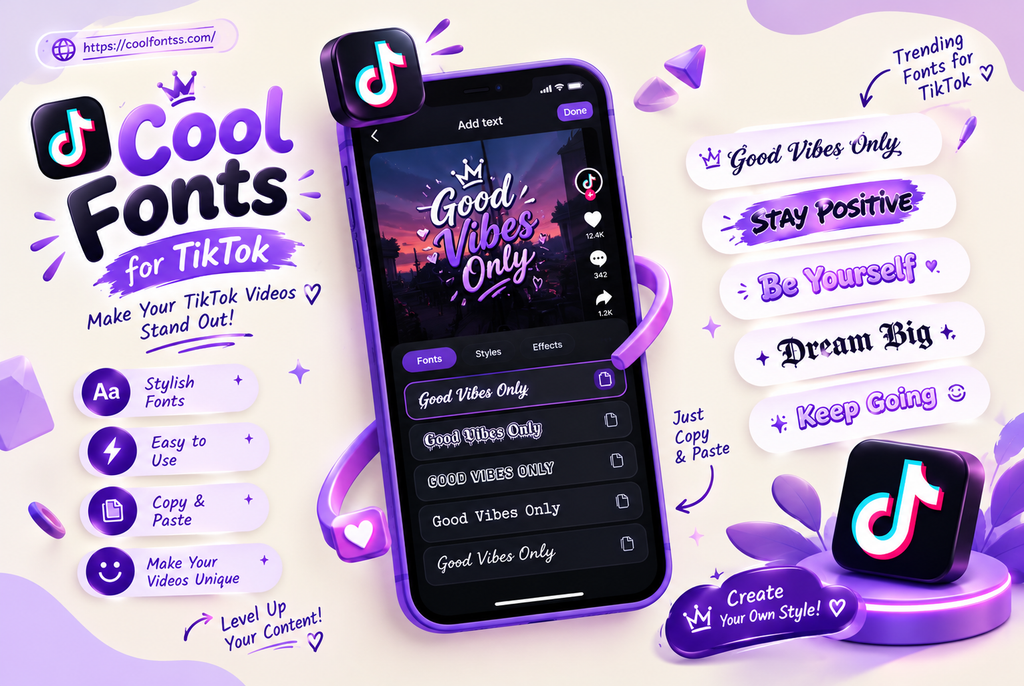
Want to give your TikTok profile or captions a fresh look? Cool Fonts for TikTok lets you turn ordinary words into decorative text that you can copy and paste into supported fields. You can try different styles for your bio, display name, captions, or comments without installing a separate font file.
Simply enter your text in the Cool Fonts generator, choose a style you like, copy the result, and try it on TikTok. Some characters may display differently across devices, so preview your text before saving or publishing it. You can also explore our cool fonts for Instagram and cool fonts for WhatsApp to create stylish text for other social media platforms.
What Are Cool Fonts for TikTok?
These text styles are created using Unicode characters rather than separate font files. The characters can resemble bold, cursive, Gothic, or monospace lettering, but they are still text characters that need to be supported by the device and app displaying them.
For example, the word “TikTok” can appear in different styles:
BOLD
𝐓𝐢𝐤𝐓𝐨𝐤
Strong and easy to notice in short phrases.
CURSIVE
𝓣𝓲𝓴𝓣𝓸𝓴
Decorative lettering for personal expressions.
GOTHIC
𝕿𝖎𝖐𝕿𝖔𝖐
A dramatic look for distinctive names.
MONOSPACE
𝚃𝚒𝚔𝚃𝚘𝚔
A uniform, typewriter-inspired appearance.
SMALL CAPITALS
ᴛɪᴋᴛᴏᴋ
Compact-looking text for short labels.
These are examples of decorative Unicode text. They may not appear identically on every phone or in every TikTok field.
How to Copy and Paste Text for TikTok
Follow these simple steps to create and use decorative text.
Enter your text
Open the Cool Fonts generator and type the word, name, or short phrase you want to style.
Choose a result
Browse the generated styles and pick one that suits your profile or video.
Copy the text
Use the generator’s copy option if available, or select and copy the text manually.
Paste and preview
Open TikTok, paste the text into the intended field, and check the result before saving.
Quick tip: Try a short phrase first. It is easier to check character support and readability before styling a full caption or bio.
Where Can You Use Stylish Text on TikTok?
1. TikTok Bio
Your bio gives visitors a quick idea of your account. A short decorative phrase can help express your personality or highlight the kind of videos you make.
REGULAR TEXT
Digital Creator | Travel | LifestyleSTYLED TEXT
𝘿𝙞𝙜𝙞𝙩𝙖𝙡 𝘾𝙧𝙚𝙖𝙩𝙤𝙧 | 𝙏𝙧𝙖𝙫𝙚𝙡 | 𝙇𝙞𝙛𝙚𝙨𝙩𝙮𝙡𝙚
Keep your bio concise and easy to read. Unusual characters can be harder to understand, especially when your bio contains important information about your content or business.
2. TikTok Display Name and Username
Your TikTok display name and username serve different purposes. The display name is the name people see around your profile, while the username is your unique account identifier.
You may be able to use decorative characters in some profile fields, but TikTok has specific rules for usernames. Do not assume that every style accepted in a bio or display name will also work in your username.
If TikTok rejects your text, try a simpler version that follows the platform’s current requirements.
3. TikTok Video Captions
A short styled phrase can help introduce a video or emphasize a few words in a caption.
CAPTION OPENING EXAMPLE
𝐍𝐞𝐰 𝐯𝐢𝐝𝐞𝐨 𝐢𝐬 𝐡𝐞𝐫𝐞!
Sharing something special with you today. Let me know what you think in the comments.
Using decorative characters for the opening line can give your caption a different look, while regular text keeps the main message easy to read. Remember that styling alone does not guarantee more views, likes, or comments.
4. Text on TikTok Videos
TikTok videos often include titles, instructions, subtitles, and other on-screen text. A text generator can help you create decorative phrases, but it does not replace TikTok’s video-editing tools.
If you want text to appear at a specific time, move around the screen, or use animation, TikTok’s built-in editor is generally the more suitable option.
Keep on-screen text readable, particularly for viewers watching on smaller screens.
5. TikTok Comments and Replies
Short decorative phrases can add personality to comments and replies where the characters are supported.
- 𝐆𝐫𝐞𝐚𝐭 𝐯𝐢𝐝𝐞𝐨!
- 𝓛𝓸𝓿𝓮 𝓽𝓱𝓲𝓼!
- ᴋᴇᴇᴘ ɪᴛ ᴜᴘ!
Use decorative text in moderation so your message remains easy to understand. Want to customize text on other platforms? Try our cool fonts for Facebook to create decorative text for your social profile.
Which Text Style Should You Choose?
Different styles can create different impressions. Use these suggestions as a starting point.
| Text style | Possible use |
|---|---|
| Bold | Short headings and video announcements |
| Cursive | Brief personal phrases |
| Gothic | Distinctive names or dramatic wording |
| Monospace | Short labels or a technical look |
| Small capitals | Compact phrases and short profile text |
Choose a style that suits your content. A design that looks good for one short word may become difficult to read across a long caption.
Why Does My TikTok Text Look Different?
Decorative Unicode text may not look the same on every device or in every TikTok field. Here are some common issues and ways to address them.
Some characters show as boxes or question marks.
The device or app may not support those characters. Try a simpler style with more widely supported characters.
TikTok rejects my username.
Username rules differ from ordinary text fields. Check TikTok’s current username requirements and use an accepted combination of characters.
The text looks crowded or difficult to read.
Reduce the number of decorative characters and keep important information in standard text. Short phrases are usually easier to read than entire decorative paragraphs.
The pasted result differs from the preview.
Characters can render differently across devices and apps. Preview your text in TikTok before saving or posting.
Copying does not work.
Try copying again or select the text manually. If the issue continues, reload the generator and check that your browser is functioning normally.
Tips for Better TikTok Text
- Keep your bio concise. Help visitors understand your account quickly.
- Style short phrases. Avoid turning every word in a caption into decorative text.
- Preview before publishing. Check the text in the actual TikTok field where you plan to use it.
- Use the right tool. A generator creates copyable characters, while TikTok’s editor is useful for animation, timing, and text placement.
- Consider accessibility. Some screen readers may interpret decorative Unicode characters differently from standard letters.
- Keep important information clear. Instructions, business details, and calls to action should remain readable.
- Don’t rely on styling for engagement. Decorative text changes appearance but does not guarantee more views or followers.
Frequently Asked Questions
Conclusion
Give your TikTok profile a personal touch with Cool Fonts for TikTok. Whether you want to style your bio, create eye-catching captions, or add decorative text to comments, Unicode text styles offer a simple way to experiment with different looks. Just enter your text into the Cool Fonts generator, choose your favorite style, and copy and paste it into a supported TikTok field.
Remember to preview your text before publishing, as some decorative characters may display differently across devices or may not be accepted in every field. Keep your message readable, use standard text for important details, and choose a style that suits your content.