Cool Fonts for Instagram – Copy and Paste Stylish Text
Want to give your Instagram profile or captions a fresh look? Cool Fonts for Instagram lets you turn ordinary words into decorative text that you can copy and paste into supported Instagram fields. You can use different text styles to personalize your bio, highlight a short caption, or add a creative touch to your profile. There is no need to install a separate font file just to try Unicode-based text styles. Simply enter your text in the Cool Fonts generator, choose a style you like, copy the result, and try it on Instagram. If you also want to customize text for messaging apps, try our cool fonts for WhatsApp to create decorative text for your messages and Status updates.
What Are Cool Fonts for Instagram?
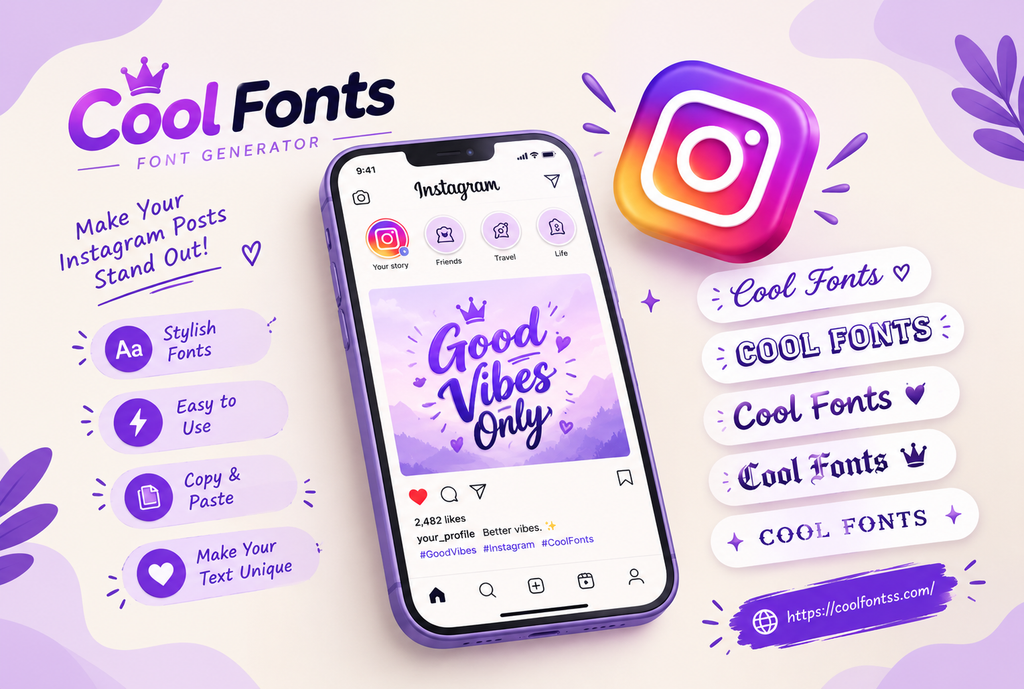
Cool Fonts for Instagram are text styles created using special Unicode characters. These characters can look bold, cursive, Gothic, or otherwise decorative, even though you are copying text rather than installing a new font.
For example, the word “Instagram” can look like this:
Bold
𝐈𝐧𝐬𝐭𝐚𝐠𝐫𝐚𝐦
Cursive
𝓘𝓷𝓼𝓽𝓪𝓰𝓻𝓪𝓶
Gothic
𝕴𝖓𝖘𝖙𝖆𝖌𝖗𝖆𝖒
Monospace
𝙸𝚗𝚜𝚝𝚊𝚐𝚛𝚊𝚖
Small capitals
ɪɴsᴛᴀɢʀᴀᴍ
These are examples of decorative Unicode text, not separate font files. Their appearance may vary between devices, and some characters may not display correctly everywhere.
How to Copy and Paste Stylish Text on Instagram
You can create decorative text in a few simple steps.
Enter your text
Open the Cool Fonts generator and type the text you want to use for your Instagram profile or post.
Choose your favourite style
Compare the available results and select a version that suits your profile, caption, or message.
Copy the text
Use the generator’s copy feature if available. Otherwise, select the result and copy it manually.
Paste it into Instagram
Open the relevant Instagram field, paste your text, and preview the result before saving or publishing it.
Where Can You Use Cool Fonts for Instagram?
The best place to use decorative text depends on what you want to achieve. A short profile description has different needs from a long caption or a video overlay.
1. Instagram Bio
Your bio gives visitors a quick introduction to your account. A small amount of decorative text can help emphasize a phrase, describe your interests, or give your profile a more personal feel.
Regular text
Digital creator | Travel | Photography
Styled text
𝘿𝙞𝙜𝙞𝙩𝙖𝙡 𝙘𝙧𝙚𝙖𝙩𝙤𝙧 | 𝙏𝙧𝙖𝙫𝙚𝙡 | 𝙋𝙝𝙤𝙩𝙤𝙜𝙧𝙖𝙥𝙝𝙮
You can experiment with different versions and keep the one that is easiest to read. Since bios have limited space, avoid filling every line with decorative characters.
2. Instagram Captions
Captions provide context for photos, Reels, announcements, and other posts. Decorative text can help separate a short heading from the rest of your caption.
Caption idea
𝐍𝐞𝐰 𝐩𝐨𝐬𝐭 𝐢𝐬 𝐡𝐞𝐫𝐞!
Sharing something special with you today. Let me know what you think in the comments.
A styled opening line can make the caption visually distinctive, while ordinary text keeps the main message easy to read. Remember that decorative characters do not guarantee more likes, comments, or reach.
3. Instagram Display Name
Your display name appears on your profile and in different parts of Instagram. You may be able to use decorative characters here, depending on the characters and the platform’s current restrictions.
Try a few short variations before deciding on one. If Instagram rejects a character or the result looks unclear, use a simpler version.
Important: Your display name and username are different. A username is your unique account identifier, usually shown with an @ symbol. Instagram applies specific requirements to usernames, so decorative Unicode text that works in a bio may not work in the username field.
4. Instagram Stories
Stories are useful for sharing updates, questions, announcements, and everyday moments. If you want to add decorative text to a Story, you can use a text generator for a phrase and paste it where Instagram allows text input.
- 𝐍𝐞𝐰 𝐮𝐩𝐝𝐚𝐭𝐞
- 𝓣𝓱𝓪𝓷𝓴 𝔂𝓸𝓾
- ʜᴀᴘᴘʏ ᴅᴀʏ
Instagram also provides its own text tools inside the Story editor. Those built-in tools may be more convenient when you want to change text color, size, placement, or animation directly in the app.
5. Instagram Reels
Reels often combine video, music, captions, and on-screen text. Decorative text can be useful for a short title or a few words that introduce the video.
However, text copied from a generator is not the same as Instagram’s native video text tools. For text that needs precise timing, animation, or placement over a video, use the Reels editor or a suitable video-editing tool. Keep on-screen text readable, particularly when viewers are watching on smaller screens.
6. Instagram Comments and Messages
Short decorative phrases can add personality to comments and messages. For example, you could style a brief compliment or greeting before copying it into a supported text field.
Use this approach sparingly. Too many unusual characters can make a message harder to understand, and some characters may not render as intended on the recipient’s device.
Which Text Style Should You Choose?
Different styles can create different impressions. Use these suggestions as a starting point rather than strict rules.
| Style | Where it may work well |
|---|---|
| Bold | Short caption headings and announcements |
| Cursive | Personal phrases and decorative bios |
| Gothic | Distinctive names or short statements |
| Monospace | Short labels and minimalist text |
| Small capitals | Compact profile descriptions |
Always consider the context. A style that looks interesting in a single word may be difficult to read across a full paragraph. You can also explore our cool fonts for Facebook and cool fonts for TikTok to create stylish text for your other social media profiles.
Why Is My Instagram Text Not Displaying Correctly?
Decorative Unicode text does not always look the same on every device or in every app. If your copied text does not work as expected, try these solutions.
Some characters appear as boxes or question marks
Your device or the receiving app may not support those characters. Try another style that uses more widely supported characters.
Instagram does not accept my text in a username
Username requirements differ from those for other profile fields. Try a username that follows Instagram’s current rules rather than assuming every decorative character will be accepted.
My bio looks crowded or difficult to read
Reduce the amount of decorative text. Keep important details, such as your business information or contact instructions, clear and easy to recognize.
The pasted text looks different from the preview
Different devices and apps can render Unicode characters differently. Check the text directly in Instagram before saving or publishing it.
I cannot copy the generated text
Try the copy option again, or select the text manually and copy it. If the issue continues, reload the generator and check that your browser is working properly.
Tips for Creating Better Instagram Text
A few simple choices can help your profile and captions look polished without making them difficult to read.
- Keep your bio clear. Use decorative text for emphasis, but make your profile’s purpose easy to understand.
- Make captions readable. Style a short heading instead of turning every sentence into decorative characters.
- Preview before publishing. Check how your text looks in the actual Instagram field.
- Use the right tool for the job. A text generator is useful for copy-and-paste characters; Instagram’s built-in editor is often better for text placement and animation in Stories and Reels.
- Consider accessibility. Some assistive technologies may interpret unusual Unicode characters differently from standard letters.
- Avoid excessive symbols. Unnecessary decorative characters can make a bio or caption look cluttered.
- Keep important information in standard text. This is especially helpful for business details, instructions, and calls to action.
The aim is not to make every letter unusual. It is to make your message distinctive while keeping it understandable.
Frequently Asked Questions
Conclusion
Cool Fonts for WhatsApp make it easy to personalize your chats, About section, and Status updates with stylish text. From bold and cursive letters to Gothic and monospace styles, you can create decorative text using a free cool fonts generator and copy and paste it directly into supported WhatsApp fields without installing separate font files.
Simply type your text, choose your favorite style, and copy the result. Remember that some Unicode characters may look different across devices, so preview your text before sharing it.