Cool Fonts for WhatsApp – Copy and Paste Stylish Text
Want to make your WhatsApp messages or profile look more personal? Cool Fonts for WhatsApp lets you create decorative text using Unicode characters that you can copy and paste into supported fields. You can try different styles for short messages, your About section, or Status updates without installing a separate font file.
Type your text into the Cool Fonts generator, choose a style, copy the result, and try it in WhatsApp. Because decorative characters may display differently across devices, check the result before sending or saving it. You can also explore our cool fonts for Instagram and cool fonts for TikTok to create stylish text for your social media profiles.
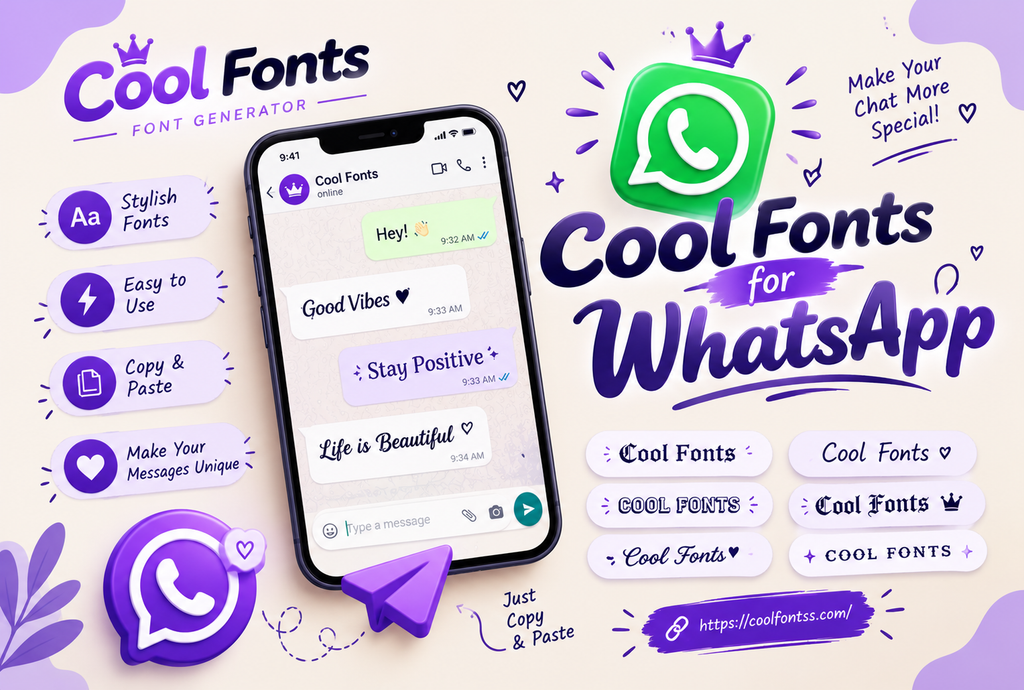
Cool Fonts for WhatsApp – Copy and Paste Stylish Text
Want to make your WhatsApp messages or profile look more personal? Cool Fonts for WhatsApp lets you create decorative text using Unicode characters that you can copy and paste into supported fields. You can try different styles for short messages, your About section, or Status updates without installing a separate font file.
Type your text into the Cool Fonts generator, choose a style, copy the result, and try it in WhatsApp. Because decorative characters may display differently across devices, check the result before sending or saving it.
What Are Cool Fonts for WhatsApp?
These styles use Unicode characters rather than separate font files. The characters can resemble bold, cursive, Gothic, or monospace lettering, but the text itself contains different characters. Their appearance depends partly on the device and app used to display them.
For example, “Hello” can look like this:
Bold
𝐇𝐞𝐥𝐥𝐨
Cursive
𝓗𝓮𝓵𝓵𝓸
Gothic
ℌ𝔢𝔩𝔩𝔬
Monospace
𝙷𝚎𝚕𝚕𝚘
Small capitals
ʜᴇʟʟᴏ
These are decorative Unicode text examples. They are different from WhatsApp’s built-in message formatting, which supports styles such as bold, italic, strikethrough, and monospace.
How to Copy and Paste Text into WhatsApp
Follow these simple steps to create and use decorative text.
Enter your text
Open the Cool Fonts generator and type the word or phrase you want to style.
Choose a style
Review the available results and select one that suits your message or profile.
Copy the result
Use the generator’s copy feature if available, or select the text and copy it manually.
Paste and check
Open WhatsApp, paste the text into the intended field, and check how it appears before sending or saving it.
Where Can You Use Stylish Text on WhatsApp?
Chat Messages
A short decorative phrase can make a message feel more personal.
Regular text
Good morning!
Styled text
𝓖𝓸𝓸𝓭 𝓶𝓸𝓻𝓷𝓲𝓷𝓰!
WhatsApp About
The About section is a place to share a short status or a few words about yourself.
Example
𝓑𝓮 𝓱𝓪𝓹𝓹𝔂
𝓢𝓽𝓪𝔂 𝓹𝓸𝓼𝓲𝓽𝓲𝓿𝓮!
WhatsApp Status
A short phrase can add personality to a Status update.
Example
✨ 𝓖𝓸𝓸𝓭 𝓥𝓲𝓫𝓮𝓼 ✨
Contact Names
If your device and contact app support it, you may be able to save a contact name using decorative characters.
Example
𝓛𝓸𝓿𝓮 𝓐𝓷𝓼𝓲 ♥
Group Messages and Announcements
A short styled heading can introduce an event reminder or announcement.
Example
Group Meeting Today
Keep the date, time, location, and important instructions in ordinary text so everyone can read them clearly. Looking for stylish text for other social platforms? Try our cool fonts for Facebook to personalize your profile and posts.
Unicode Text vs. WhatsApp Built-in Formatting
These two approaches are not the same. A Unicode generator replaces standard letters with other characters that resemble a different style. WhatsApp’s built-in formatting changes the presentation of message text using the formatting features supported by the app.
Use a Unicode generator when you want a decorative appearance. If you only need bold, italic, strikethrough, or monospace, WhatsApp’s native formatting may be simpler.
Why Does My WhatsApp Text Look Different?
Decorative text may not look the same on every phone. Here are common issues and practical ways to address them.
Some characters appear as boxes or question marks
The receiving device may not support those Unicode characters. Try a simpler style or use standard text.
The pasted text is hard to read
Reduce the number of decorative characters, especially in longer messages or important instructions. A short styled phrase is often easier to understand.
The result looks different on another phone
Devices can use different fonts and have different levels of character support. Choose a style that remains understandable across the devices used by your recipients.
I cannot copy the generated text
Try copying again or select the result manually. If the issue continues, reload the generator and check that your browser is functioning normally.
The text does not look like WhatsApp bold or italic
Unicode decorative characters are not the same as WhatsApp’s built-in formatting. Use WhatsApp’s native formatting feature when you want its supported styles.
Tips for Clear WhatsApp Messages
- Keep decorative text short. Use it for greetings, headings, or a few important words instead of entire long messages.
- Make important details readable. Times, addresses, instructions, and other essential information should be easy to recognize.
- Preview before sharing. Check your Status or About text before saving or publishing it.
- Choose the right formatting method. Use WhatsApp’s built-in formatting for its standard styles and a Unicode generator for decorative character variations.
- Consider accessibility. Some assistive technologies may interpret unusual Unicode characters differently from ordinary letters.
- Avoid unnecessary decoration. Too many special characters can make messages harder to read without adding useful meaning.
Decorative text changes how your message looks; it does not guarantee better delivery, visibility, or engagement.
Frequently Asked Questions
Conclusion
Cool Fonts for WhatsApp make it easy to personalize your chats, About section, and Status updates with stylish text. From bold and cursive letters to Gothic and monospace styles, you can create decorative text using a free cool fonts generator and copy and paste it directly into supported WhatsApp fields without installing separate font files.
Simply type your text, choose your favorite style, and copy the result. Remember that some Unicode characters may look different across devices, so preview your text before sharing it.