Coolest Fonts: Stylish Text Styles to Copy and Paste
Looking for the coolest fonts to make your name, bio, or social media posts stand out? The right text style can give ordinary words a fresh look without changing their meaning. From bold and cursive lettering to Gothic, bubble, and aesthetic styles, there are plenty of options to explore.
Coolest fonts are especially useful when you want to personalize a username, create an eye-catching caption, or add something different to your online profile. Many styles use special Unicode characters, which means you can copy the generated text and paste it into supported apps without installing a separate font file.
In this guide, you’ll discover popular font styles, examples you can copy, and practical tips for choosing the right look for different platforms.
What Are the Coolest Fonts?
The coolest fonts are text styles that make words look distinctive, creative, or visually appealing. Some have thick, bold letters, while others feature flowing curves, decorative symbols, or unusual shapes.
Unlike traditional fonts that change how text is displayed, many online font styles use Unicode characters that resemble different lettering designs. This makes them convenient for social media bios, display names, gaming usernames, and short messages.
Here are some popular examples using the words “Coolest Fonts.”
| Font Style | Copy-and-Paste Example |
|---|---|
| Bold | Coolest Fonts |
| Italic | Coolest Fonts |
| Bold Italic | Coolest Fonts |
| Cursive | Coolest Fonts |
| Bold Script | Coolest Fonts |
| Gothic | Coolest Fonts |
| Double-Struck | ℂ𝕠𝕠𝕝𝕖𝕤𝕥 𝔽𝕠𝕟𝕥𝕤 |
| Monospace | Coolest Fonts |
| Full-Width | Coolest Fonts |
| Circled | Ⓒⓞⓞⓛⓔⓢⓣ Ⓕⓞⓝⓣⓢ |
The appearance of these characters can vary depending on the device, browser, or application. Always check the final result before using it publicly.
Coolest Fonts to Copy and Paste
Different styles create different impressions. Some are designed to attract attention, while others provide a subtle change that works well for everyday profiles.
Bold lettering is a good choice when you want a name or short phrase to look stronger and more noticeable. It works well for profile names, short captions, and selected words in a bio.
Try these examples:
Bold styles are generally easier to recognize than heavily decorative lettering, but they may still behave differently from ordinary text in some applications.
Cursive fonts create a flowing, handwritten appearance. They are popular for aesthetic usernames, personal bios, and short phrases that need a softer look.
Cursive styles can make short text look elegant, although some letters may be difficult to read at smaller sizes. They are usually better suited to names and brief phrases than long paragraphs.
Gothic lettering has a dramatic appearance inspired by traditional blackletter typography. It is a popular option for gaming names, dark aesthetic profiles, and distinctive online identities.
Before using Gothic characters in a gaming profile or username, confirm that the platform accepts them and displays them correctly.
Bubble-style lettering gives words a rounded, playful appearance. It can work well for cute usernames, casual captions, and creative profile descriptions.
Bubble characters can take up more visual space than ordinary letters, so keep your text short when using them in profile fields.
Small-cap-like characters offer a compact style without the dramatic appearance of Gothic or script lettering. They are useful for short usernames and understated profile designs.
These are special Unicode characters, not simply ordinary letters displayed at a smaller size. Support varies, and some letters may not have matching small-cap forms.
Monospace styles have a consistent character width, creating a neat, technical appearance. They are suitable for coding-inspired usernames, minimalist profiles, and short creative labels.
Their simple structure makes them a useful alternative when you want something different without using elaborate decorative letters.
Aesthetic fonts focus on the overall mood of a phrase. Depending on the style, they can look minimal, elegant, playful, or dreamy.
Choose an aesthetic style that matches your personality rather than using complicated characters simply because they look unusual.
How to Choose the Best Font Style
There is no single font style that works for every situation. The best option depends on the text, your audience, and where you plan to use it.
| Purpose | Recommended Style | Main Benefit |
|---|---|---|
| Social media bio | Bold or cursive | Personal and distinctive |
| Gaming username | Gothic | Dramatic appearance |
| Cute profile | Bubble | Playful lettering |
| Minimalist name | Monospace | Clean, structured look |
| Aesthetic caption | Script | Decorative appearance |
| Short profile label | Small caps | Compact design |
| Creative heading | Bold italic | Extra emphasis |
If you are unsure which style to choose, compare several versions of the same word. Seeing them side by side makes it easier to decide which one fits your profile or project.
How to Use Coolest Fonts Online
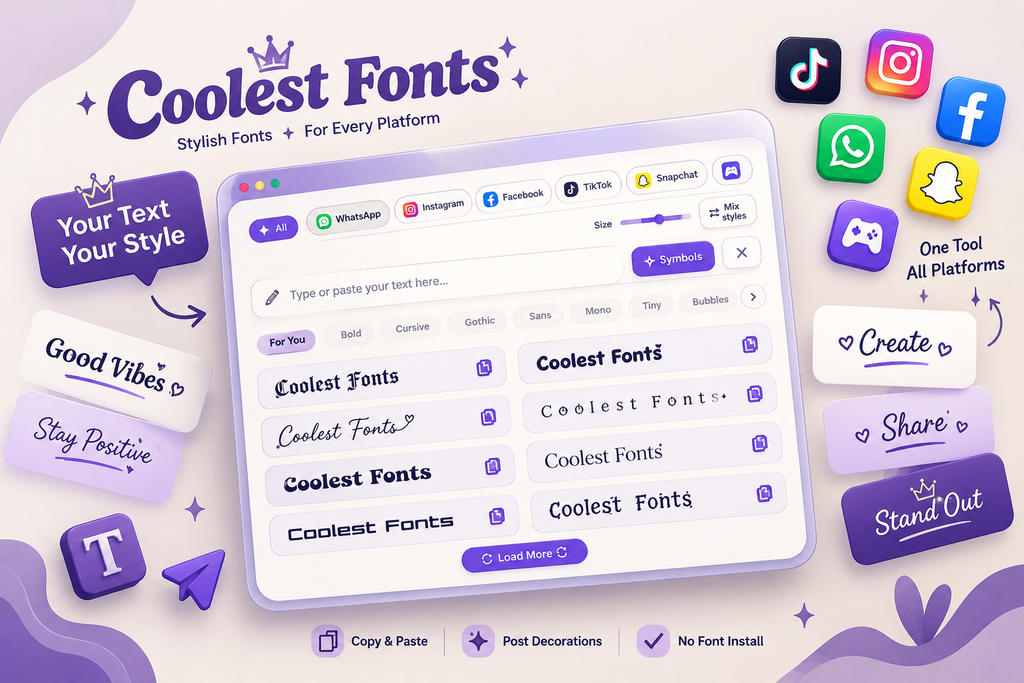
You do not need to download a new font file to try many copy-and-paste text styles. An online font generator can create different versions of your text in seconds.
Follow these steps:
Enter your text. Type a name, username, caption, or short phrase into the generator.
Explore the results. Review the available styles, including bold, script, Gothic, and other variations.
Choose your favorite. Select a design that matches your intended use.
Copy the text. Use the copy button if available, or select the result and copy it manually.
Paste and preview. Try the text in your chosen app and check its appearance before publishing.
You can use the Cool Fonts generator to explore available styles and create text for your next profile or caption.
Coolest Fonts for Social Media
Social media is one of the most common places to experiment with decorative text. A different lettering style can personalize a display name, highlight a short phrase, or give a profile a more distinctive appearance.

Coolest Fonts for Instagram
Instagram users can experiment with bold, cursive, and small-cap-like characters in supported profile fields. A decorative name or a few styled words can add personality without making the entire bio difficult to read. For more ideas, visit our Cool Fonts for Instagram guide.

Coolest Fonts for Facebook
Bold and decorative lettering can add variety to selected words in Facebook posts, profile details, and short status updates. Choose a style that remains readable on both desktop and mobile screens. You can explore additional options in our Cool Fonts for Facebook guide.

Coolest Fonts for TikTok
A distinctive display name or short bio can help your TikTok profile reflect your personality. Before settling on a style, check the characters in the actual profile field because username restrictions may differ from those for ordinary text. See our Cool Fonts for TikTok guide for more inspiration.

Coolest Fonts for WhatsApp
Decorative text can be useful for supported profile details, status updates, and short messages. For longer conversations, simple lettering is usually more practical because it is easier to read quickly. Find more suggestions in our Cool Fonts for WhatsApp guide.
Coolest Fonts for Names and Usernames
A username is often a small but noticeable part of your online identity. The right lettering can make it feel more personal while keeping the original name recognizable.
Here are a few styles using the name Alex.
| Style | Example |
|---|---|
| Bold | Alex |
| Script | 𝓐𝓵𝓮𝔁 |
| Gothic | 𝔄𝔩𝔢𝔵 |
| Monospace | 𝙰𝚕𝚎𝚡 |
| Double-struck | 𝔸𝕝𝕖𝕩 |
| Circled | Ⓐⓛⓔⓧ |
Tips for Using the Coolest Fonts
A good font style should look appealing without making your text difficult to use. Keep these practical tips in mind:
Frequently Asked Questions
Conclusion
The coolest fonts can help you express your personality through usernames, social media bios, captions, and creative projects. Whether you prefer bold lettering, flowing script, playful bubble characters, or dramatic Gothic styles, the best choice is one that suits your purpose and remains readable.
Explore different styles, compare how they look, and copy the version that works best for you. Before sharing your text, check its compatibility with your chosen platform so your style looks as intended.